Which AI accounts does AppuBot work with?
| Agent | Signs in with | More |
|---|---|---|
| Claude Code | Your Claude plan (Pro, Max, team) | Claude Code in AppuBot |
| Codex | Your ChatGPT account | Codex in AppuBot |
| Cursor | Your Cursor account | Cursor in AppuBot |
| Grok | Your xAI account | Grok in AppuBot |
| GitHub Copilot | Your GitHub account | Copilot in AppuBot |
| OpenCode | The providers you connect in it | OpenCode in AppuBot |
More agents, such as Google's Antigravity, Goose and Kimi, can be added from the catalog in Settings › Agents.
Why no API key?
An API key bills you per use at developer prices, on top of any subscription you have. AppuBot avoids that by running the agents themselves, the same Claude Code or Codex you'd run on your own, with the sign-in they already have. So a bot uses the plan you pay for each month, and you never paste a secret key into AppuBot.
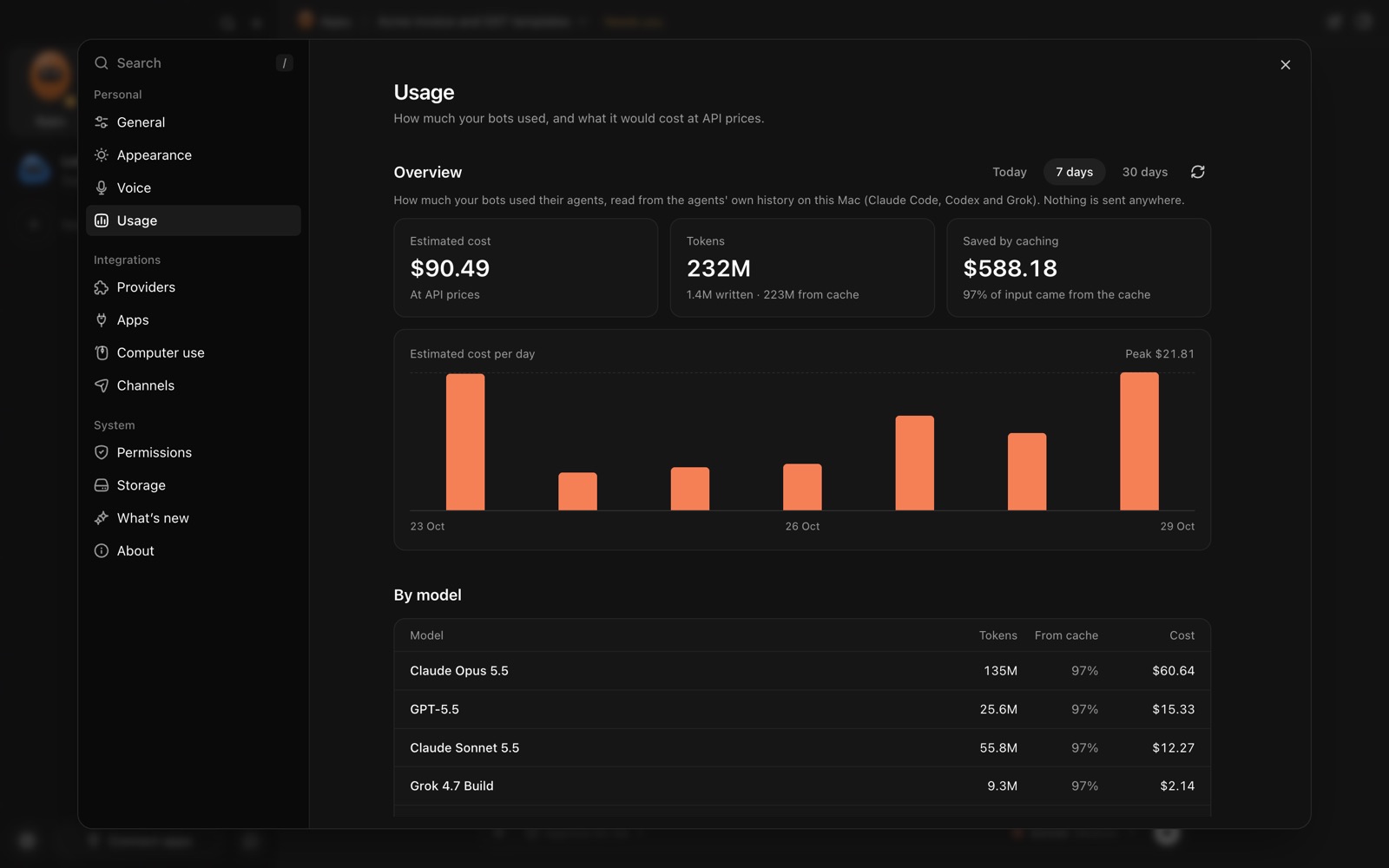
That also means the AI's own rules and limits apply as they do for you: if your plan has a weekly limit, your bots' work counts toward it. Settings › Usage shows how much each agent was used on this computer, by model and by day, with an estimated cost, read from your own computer and never sent anywhere.
How do I connect my account?
- Download AppuBot and open it.
- If you already use Claude Code, Codex or another agent here, AppuBot finds it and shows it as ready. If not, Settings › Agents shows each agent's own installer.
- Sign in once, with the agent's usual sign-in in your browser.
- Make a bot and pick its agent, model and how hard it thinks. Each bot can use a different one.

