
What can a bot do in Airtable?
Airtable bases often become the source of truth for a small business or a team, from a content tracker to a client list. A bot can do the data entry and answer questions in plain words.
- Search records. Find the rows that match a client, a status or a date range.
- Add records. Create a row from a message, an email or a photo.
- Update fields. Change a status, a date or an owner across several records at once.
- Answer questions. Count and group, for example how many orders are late by supplier.
- Summarise a view. Describe what is in a view and what needs attention.
- Check data quality. List rows with blank required fields.
What can you ask a bot to do in Airtable?
These are the kinds of requests that work well. Type them in the app, or send them from your phone on Telegram.
- "Add a record to Clients: Orchard Studio, onboarding, owner Lena."
- "Which projects in the tracker are marked blocked?"
- "Set the status of the three posts I just named to Scheduled."
- "How many orders are late, grouped by supplier?"
- "List records in Contacts that have no email address."
How do you connect Airtable to AppuBot?
- Open AppuBot on your computer.
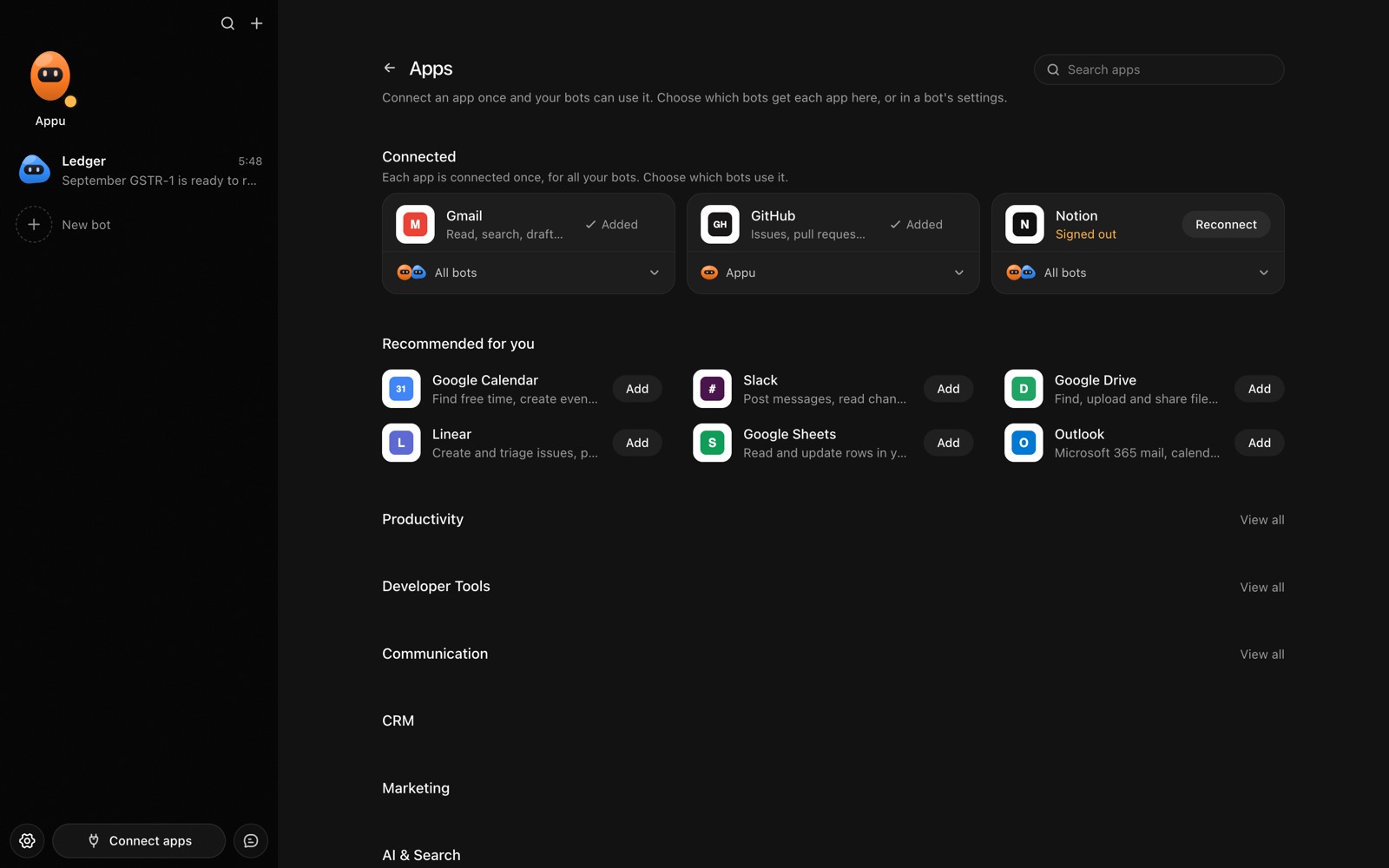
- Click Connect apps in the sidebar to open the Apps page.
- Sign in once in your browser. This links AppuBot to your own account for connected apps, and you only do it the first time.
- Find Airtable on the page and connect it. Your browser opens Airtable's own sign-in and consent screen, and you approve it there.
- Switch Airtable on for the bots that may use it. Each bot has its own switch, so a bot you did not choose never touches it.
The same Apps page lists about 1,700 other apps. Connecting one app once makes it available to every bot you allow.
Will it ask before it changes things in Airtable?
Adding or editing records changes data others rely on, so on "Approve for me" the bot tells you what it will write and waits. Searching and reading records goes ahead.
This follows the bot's permission choice. On "Approve for me" the bot asks before it acts in your account, and it waits as long as you take. Reads and searches go ahead without a question. On "Full access" it acts without asking, so keep that for bots you trust with the app. More in Approvals.