What can a bot do in Notion?
Notion works best when someone keeps it current, and that is the part people skip. A bot can do the upkeep: filing notes, updating statuses and answering "where did we write that down?".
- Search the workspace. Find the page about the onboarding process or the decision from March.
- Create pages. Turn a conversation, a voice note or a forwarded email into a note with a title and tags.
- Update databases. Change a task's status, add a row to a project tracker or fill in a property.
- Summarise. Condense a long wiki page or a project's notes into a short brief.
- Write meeting notes. Make a page per meeting with attendees, decisions and action items.
- Link things up. Add a task to the right project and assign it to the person you name.
What can you ask a bot to do in Notion?
These are the kinds of requests that work well. Type them in the app, or send them from your phone on Telegram.
- "Where did we write down the refund policy?"
- "Add a task to the Website project: update pricing page, due Friday."
- "Create a meeting note for today's call with the three action items I just listed."
- "Show every task assigned to me that is still open."
- "Summarise the Roadmap page for someone who has not read it."
How do you connect Notion to AppuBot?
- Open AppuBot on your computer.
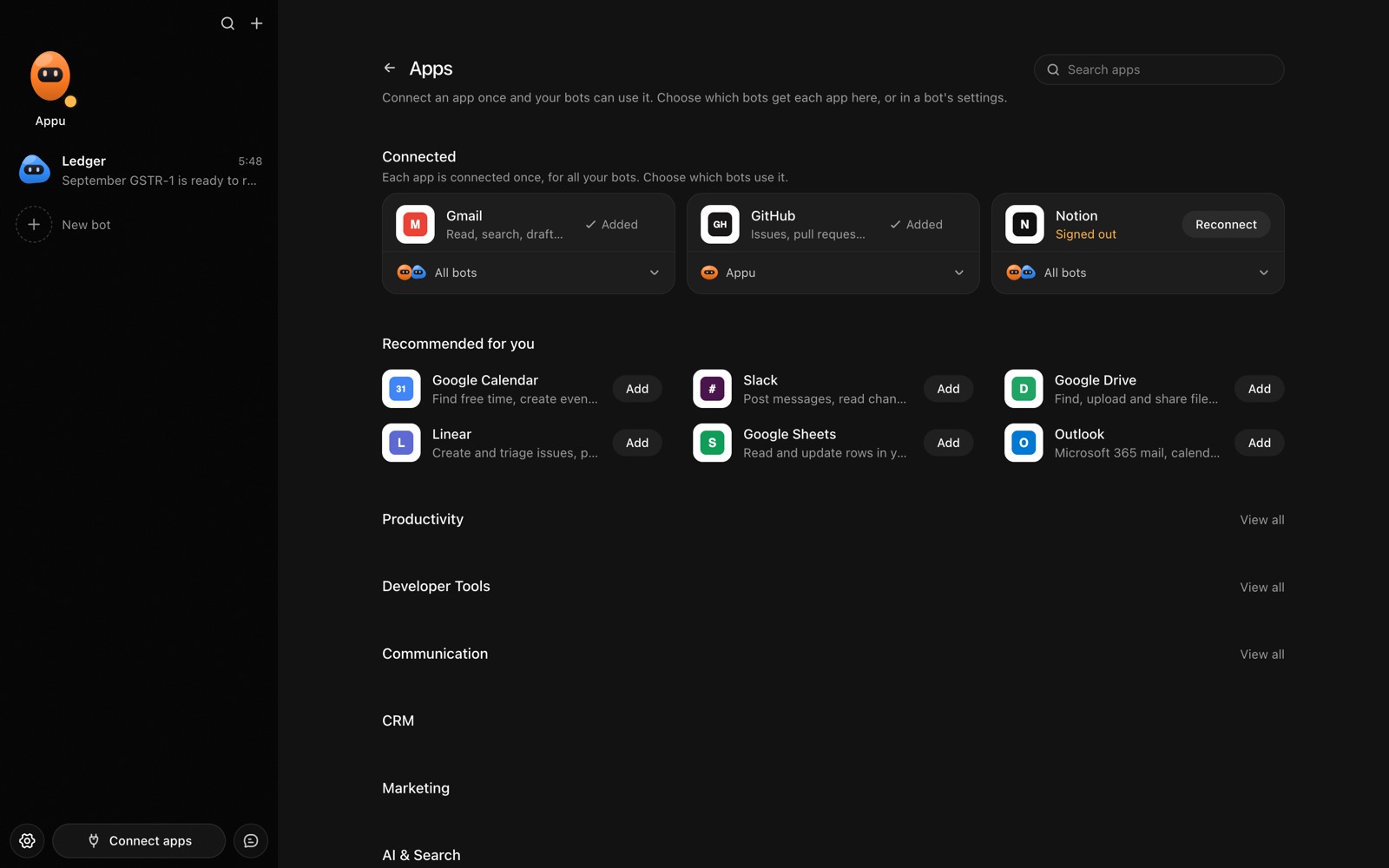
- Click Connect apps in the sidebar to open the Apps page.
- Sign in once in your browser. This links AppuBot to your own account for connected apps, and you only do it the first time.
- Find Notion on the page and connect it. Your browser opens Notion's own sign-in and consent screen, and you approve it there.
- Switch Notion on for the bots that may use it. Each bot has its own switch, so a bot you did not choose never touches it.
The same Apps page lists about 1,700 other apps. Connecting one app once makes it available to every bot you allow.
Will it ask before it changes things in Notion?
Creating pages, editing text and changing database properties alter your workspace, where teammates may see the change, so on "Approve for me" the bot checks with you first. Searching and reading pages goes ahead without a question.
This follows the bot's permission choice. On "Approve for me" the bot asks before it acts in your account, and it waits as long as you take. Reads and searches go ahead without a question. On "Full access" it acts without asking, so keep that for bots you trust with the app. More in Approvals.