
What can a bot do in Gmail?
Email is mostly reading, sorting and answering the same questions again. A bot connected to your Gmail can take the first pass at all three, in your own account, while you decide what actually goes out.
- Find things. Search by sender, subject, date or topic and bring back the one message with the invoice, the flight or the address you half remember.
- Summarise threads. Read a forty-message thread and tell you where it ended up, who owes whom a reply and what was decided.
- Draft replies. Write a reply in your tone for you to look at. It can be set up to leave drafts rather than send.
- Triage the inbox. List what needs an answer today, what is only informational and what looks like noise.
- Label and archive. Apply labels or archive newsletters and receipts once you have said which ones.
- Pull out details. Collect dates, order numbers or amounts from a batch of messages into a table.
What can you ask a bot to do in Gmail?
These are the kinds of requests that work well. Type them in the app, or send them from your phone on Telegram.
- "What came in overnight that needs a reply from me today?"
- "Find the email from the landlord about the lease and summarise it."
- "Draft a polite reply to Priya saying I can do Thursday, and leave it as a draft."
- "List every receipt from last month with the amount and the sender."
- "Which threads have been waiting on me for more than three days?"
How do you connect Gmail to AppuBot?
- Open AppuBot on your computer.
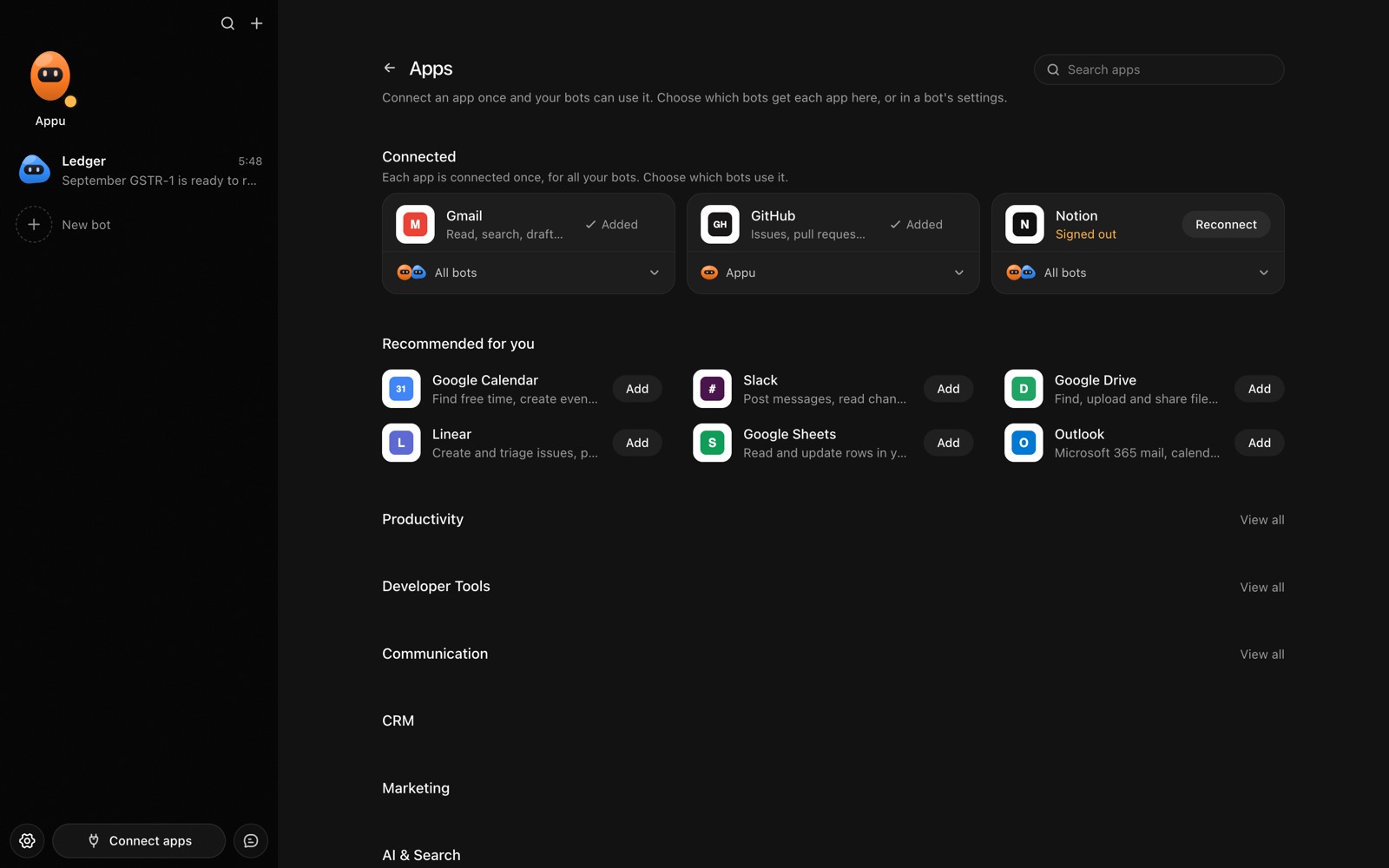
- Click Connect apps in the sidebar to open the Apps page.
- Sign in once in your browser. This links AppuBot to your own account for connected apps, and you only do it the first time.
- Find Gmail on the page and connect it. Your browser opens Gmail's own sign-in and consent screen, and you approve it there.
- Switch Gmail on for the bots that may use it. Each bot has its own switch, so a bot you did not choose never touches it.
The same Apps page lists about 1,700 other apps. Connecting one app once makes it available to every bot you allow.
Will it ask before it changes things in Gmail?
Sending a message, replying, deleting, archiving or changing labels all change your mailbox, so on "Approve for me" the bot shows you what it is about to do and waits. Searching and opening messages to read them does not need a question.
This follows the bot's permission choice. On "Approve for me" the bot asks before it acts in your account, and it waits as long as you take. Reads and searches go ahead without a question. On "Full access" it acts without asking, so keep that for bots you trust with the app. More in Approvals.