Skip to content

Connect your AI to Gmail, Slack, Notion and 1,700 more apps

Sign in to your apps once, then pick which ones each bot may use.

By Sarthak Gupta · Updated

The short answer

AppuBot lets your bots work in your online accounts, such as Gmail, Google Calendar, Sheets and Drive, Notion, Slack and GitHub, among about 1,700 apps. You sign in once, connect each app in your browser, and then turn apps on or off for each bot. A bot on "Approve for me" asks before it acts in your accounts, like sending an email or posting a message.

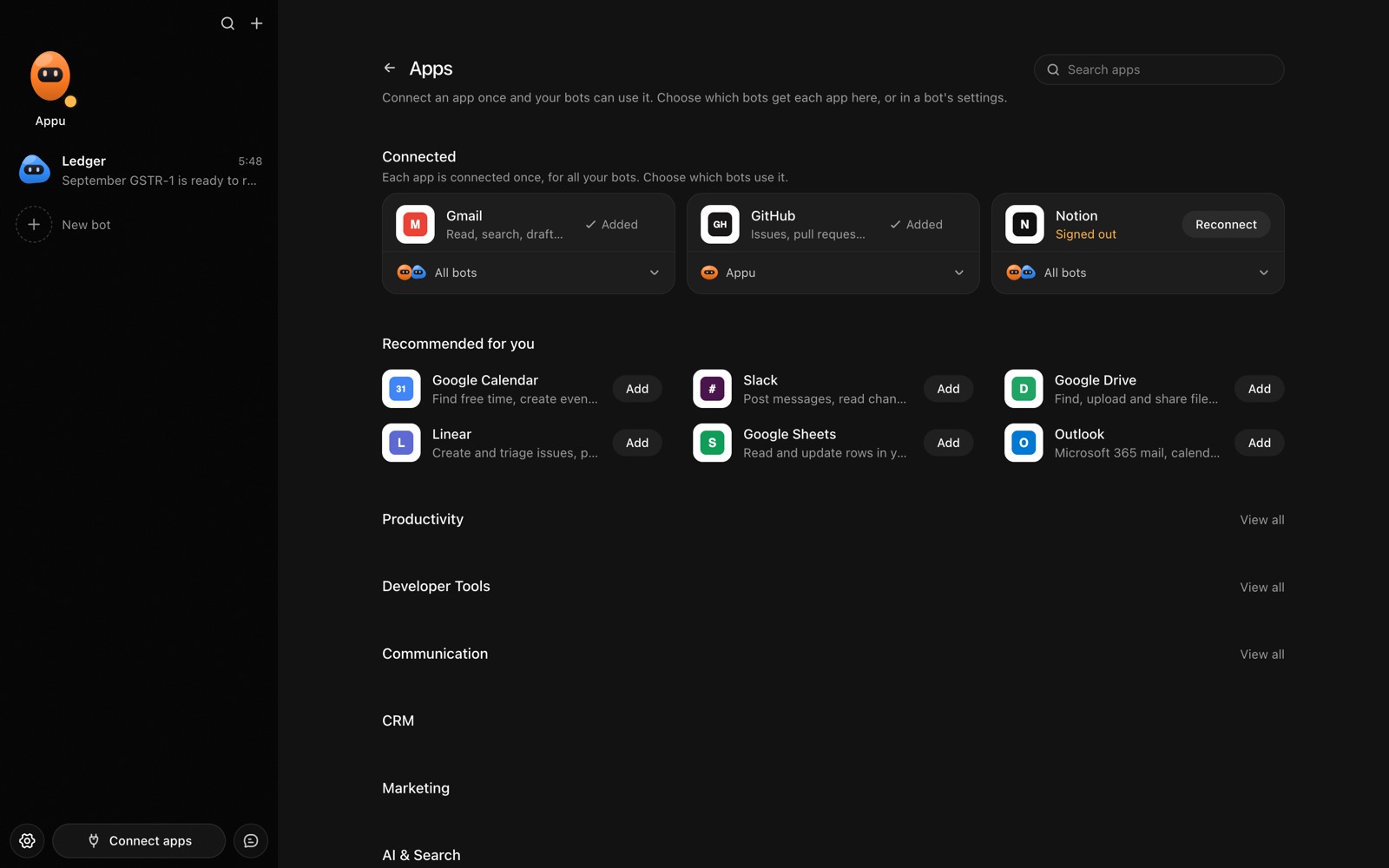
The Apps page in AppuBot with Gmail, GitHub and Notion connected and more apps to add
Connect an app once, then choose which bots may use it.

What can bots do with connected apps?

See the full list of popular ones on apps.

How do I connect an app?

  1. Open Connect apps in the sidebar and sign in once. AppuBot opens the sign-in page in your browser.
  2. Find an app, press Connect and approve it on that app's own page in your browser, where you're usually signed in already.
  3. Back in AppuBot, the app shows as connected, and it is on for every bot.
  4. Turn it off for the bots that shouldn't use it, on the app's card or in each bot's settings.

Apps you already connected for other AI tools with the same account show up by themselves.

Connected apps or computer use?

Both let a bot work with your tools. Connected apps talk to a service directly, which is quick and doesn't need a window open, so they suit email, calendars and online documents. Computer use works in any app's window, so it covers everything else: desktop apps, sites with no connection, your own internal tools. A bot can use both in one task.


Is it safe to connect my accounts?

You decide which bots get which apps, and a change applies at once. A bot only ever sees the apps turned on for it. On "Approve for me", every action in your accounts, like sending, posting or deleting, waits for your OK (approvals).

Bots act only through the connections you made; they never get a way to connect new apps themselves. Signing out of connected apps in Settings › Apps stops all of it.

Real tasks with connected apps

Combine them with routines and these happen on their own: a daily calendar brief, a weekly lead log.

  • "What's on tomorrow?" The bot reads your calendar and your email for anything tied to those meetings, and gives you a short brief.
  • "Log new leads." It finds sign-up emails in Gmail and adds each person to a sheet or your CRM.
  • "Follow up with everyone I met at the event." It drafts one email per person, and on Approve for me shows you each before sending.
  • "Tell the team the release is out." It posts in the right Slack channel and links the GitHub release notes.
  • "Turn this Notion page into tasks." It reads the page and opens an issue per item in Linear or Jira.

Questions

What happens if I disconnect an app?

Bots lose access to it at once; the app's connection is removed from your account and you can connect it again later.

Which apps can I connect to AppuBot?

About 1,700, including Gmail, Google Calendar, Sheets, Drive and Docs, Notion, Slack, GitHub, Linear, Jira, HubSpot, Salesforce, Shopify and Stripe.

Do I need API keys to connect apps?

No. You sign in to each app in your browser, the way you'd connect any app to your account.

Can I give one bot Gmail but not another?

Yes. Each connected app has a switch per bot, and new connections start on for every bot until you turn them off.

Will a bot send an email without asking me?

Not on "Approve for me": it asks before sending. On "Full access" it may, so keep bots that send things on Approve for me until you trust them.

Do I have to connect apps for my bots to be useful?

No. Bots work with your files and, through computer use, with any app on your computer; connected apps just make online services quicker to use.

Meet your first bot

An AI teammate that works on your Mac, and tells you on Telegram