
What can a bot do in GitHub?
Much of the work around code is reading and writing text: issues, reviews, release notes. A bot can take on that part, and it pairs with coding agents like Claude Code that also run in AppuBot.
- Triage issues. List new issues, group duplicates and suggest labels and owners.
- Summarise pull requests. Explain what a change does and what to look at in review.
- Draft comments. Write review comments or replies for you to approve.
- Open issues. Turn a bug report from a chat or a screenshot into a clear, reproducible issue.
- Write release notes. Gather merged pull requests since the last release into plain-language notes.
- Check status. Tell you which of your pull requests are waiting on review or failing checks.
What can you ask a bot to do in GitHub?
These are the kinds of requests that work well. Type them in the app, or send them from your phone on Telegram.
- "What pull requests are waiting for my review?"
- "Summarise PR 482 in a few lines and tell me the riskiest part."
- "Open an issue titled "Export fails on empty sheets" with the steps I just described."
- "Draft release notes from everything merged since Monday."
- "Which open issues look like duplicates of each other?"
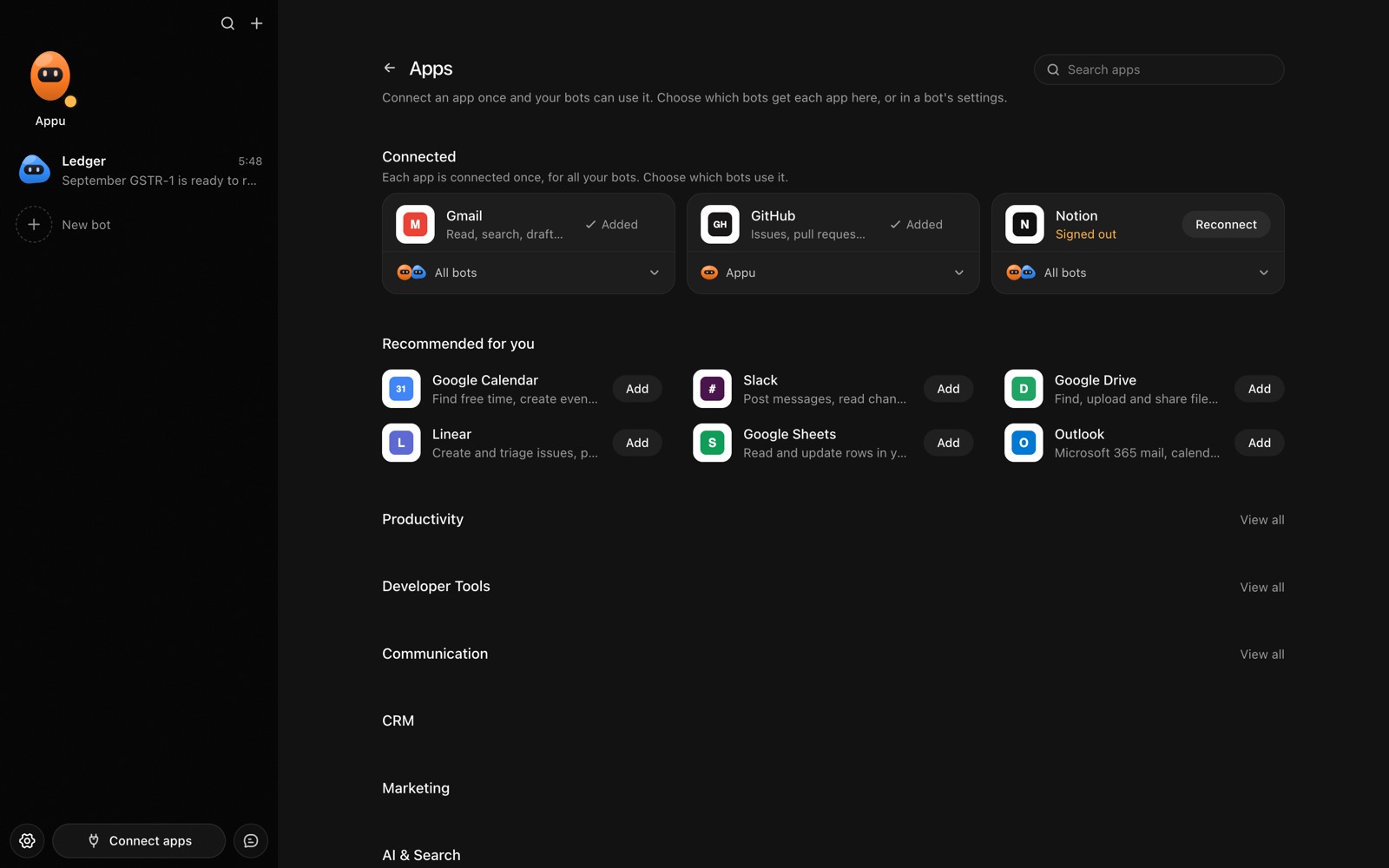
How do you connect GitHub to AppuBot?
- Open AppuBot on your computer.
- Click Connect apps in the sidebar to open the Apps page.
- Sign in once in your browser. This links AppuBot to your own account for connected apps, and you only do it the first time.
- Find GitHub on the page and connect it. Your browser opens GitHub's own sign-in and consent screen, and you approve it there.
- Switch GitHub on for the bots that may use it. Each bot has its own switch, so a bot you did not choose never touches it.
The same Apps page lists about 1,700 other apps. Connecting one app once makes it available to every bot you allow.
Will it ask before it changes things in GitHub?
Commenting, opening, closing, labelling or merging changes things your team sees, so on "Approve for me" the bot shows you the action and waits. Reading issues, pull requests and files goes ahead.
This follows the bot's permission choice. On "Approve for me" the bot asks before it acts in your account, and it waits as long as you take. Reads and searches go ahead without a question. On "Full access" it acts without asking, so keep that for bots you trust with the app. More in Approvals.