
What can a bot do in Outlook?
For many people Outlook is both the inbox and the calendar, and the day goes on it. A bot can read both and prepare the answers.
- Triage the inbox. List what needs a reply, what is informational and what can wait.
- Summarise threads. Reduce a long chain to the decision and the open question.
- Draft replies. Write a reply for you to approve, or leave it in drafts.
- Find attachments. Locate the contract or the quote from a sender last quarter.
- Check the calendar. List the day's meetings and flag clashes.
- Organise. Move messages to folders once you have given it the rule.
What can you ask a bot to do in Outlook?
These are the kinds of requests that work well. Type them in the app, or send them from your phone on Telegram.
- "What is waiting on me in Outlook this morning?"
- "Summarise the thread with the vendor about the delayed shipment."
- "Draft a reply to Daniel accepting the meeting and leave it in drafts."
- "Find the quote PDF Maria sent last month."
- "Do I have anything overlapping tomorrow?"
How do you connect Outlook to AppuBot?
- Open AppuBot on your computer.
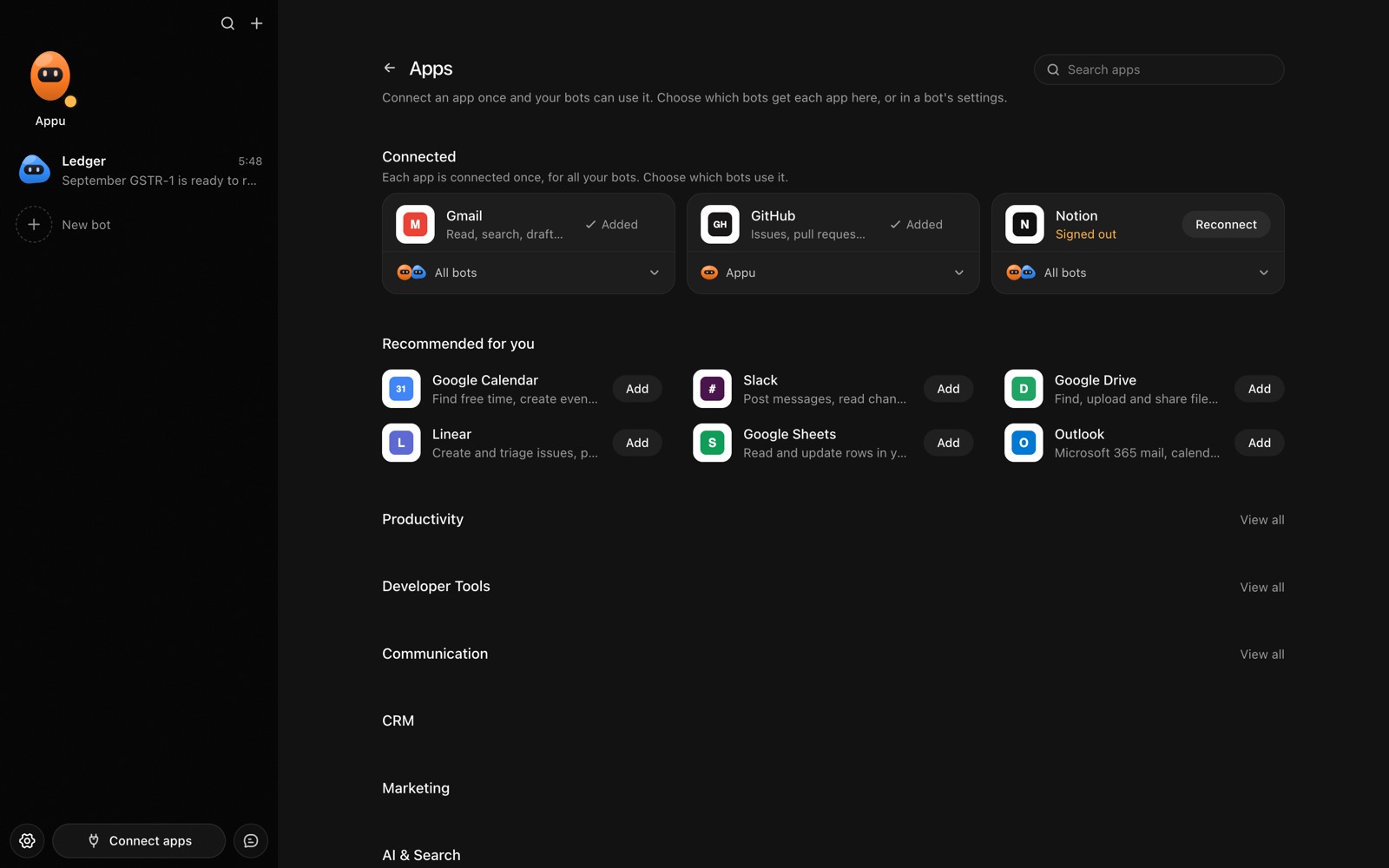
- Click Connect apps in the sidebar to open the Apps page.
- Sign in once in your browser. This links AppuBot to your own account for connected apps, and you only do it the first time.
- Find Outlook on the page and connect it. Your browser opens Outlook's own sign-in and consent screen, and you approve it there.
- Switch Outlook on for the bots that may use it. Each bot has its own switch, so a bot you did not choose never touches it.
The same Apps page lists about 1,700 other apps. Connecting one app once makes it available to every bot you allow.
Will it ask before it changes things in Outlook?
Sending, deleting, moving mail and editing events changes your mailbox and other people's calendars, so on "Approve for me" the bot asks first. Searching mail and reading your calendar goes ahead.
This follows the bot's permission choice. On "Approve for me" the bot asks before it acts in your account, and it waits as long as you take. Reads and searches go ahead without a question. On "Full access" it acts without asking, so keep that for bots you trust with the app. More in Approvals.