
What can a bot do in Jira?
Jira holds a lot of structured detail, and most of the effort is in filling the fields and keeping tickets current. A bot can do the filling and the follow-up.
- Write tickets. Turn a conversation or a bug report into a story or bug with a description and acceptance criteria.
- Search with plain words. Find tickets by what they are about, without writing the query yourself.
- Update. Change status, assignee or fix version, and add a comment explaining why.
- Summarise a sprint. List what is done, in review and at risk, in a few lines.
- Break down epics. Propose child stories for an epic for your team to refine.
- Chase. List tickets with no update in a week and who owns them.
What can you ask a bot to do in Jira?
These are the kinds of requests that work well. Type them in the app, or send them from your phone on Telegram.
- "Create a bug in project WEB: checkout page shows the wrong total with a promo code."
- "What is still in progress in this sprint?"
- "Add a comment to PAY-214 saying the fix is in review."
- "Break the "Reports redesign" epic into stories for me to look at."
- "Which tickets assigned to me have not been updated in a week?"
How do you connect Jira to AppuBot?
- Open AppuBot on your computer.
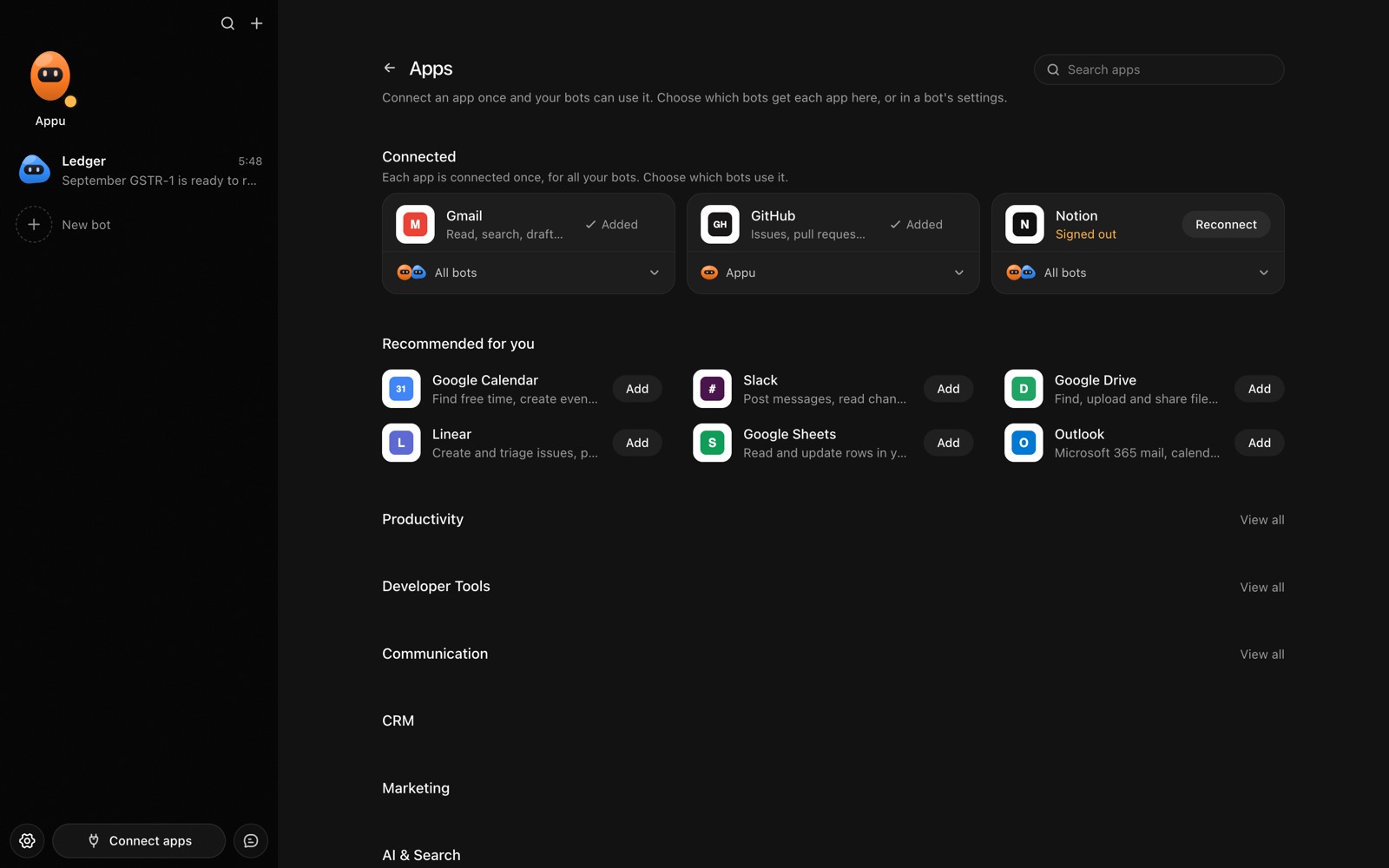
- Click Connect apps in the sidebar to open the Apps page.
- Sign in once in your browser. This links AppuBot to your own account for connected apps, and you only do it the first time.
- Find Jira on the page and connect it. Your browser opens Jira's own sign-in and consent screen, and you approve it there.
- Switch Jira on for the bots that may use it. Each bot has its own switch, so a bot you did not choose never touches it.
The same Apps page lists about 1,700 other apps. Connecting one app once makes it available to every bot you allow.
Will it ask before it changes things in Jira?
Creating, editing or transitioning tickets changes shared records and may notify teammates, so on "Approve for me" the bot asks first. Searching and reading tickets goes ahead.
This follows the bot's permission choice. On "Approve for me" the bot asks before it acts in your account, and it waits as long as you take. Reads and searches go ahead without a question. On "Full access" it acts without asking, so keep that for bots you trust with the app. More in Approvals.