
Skip to content
+QuickBooks

QuickBooks AI agent: let a bot help with your bookkeeping

Look up invoices and bills, draft entries and report on your books.

By Sarthak Gupta · Updated

The short answer

An AppuBot bot connected to QuickBooks can look up invoices, bills, customers and expenses, draft entries and summarise your numbers. With "Approve for me" it asks before it creates or changes anything in your books. Reading does not need approval, but a person should still review the books.

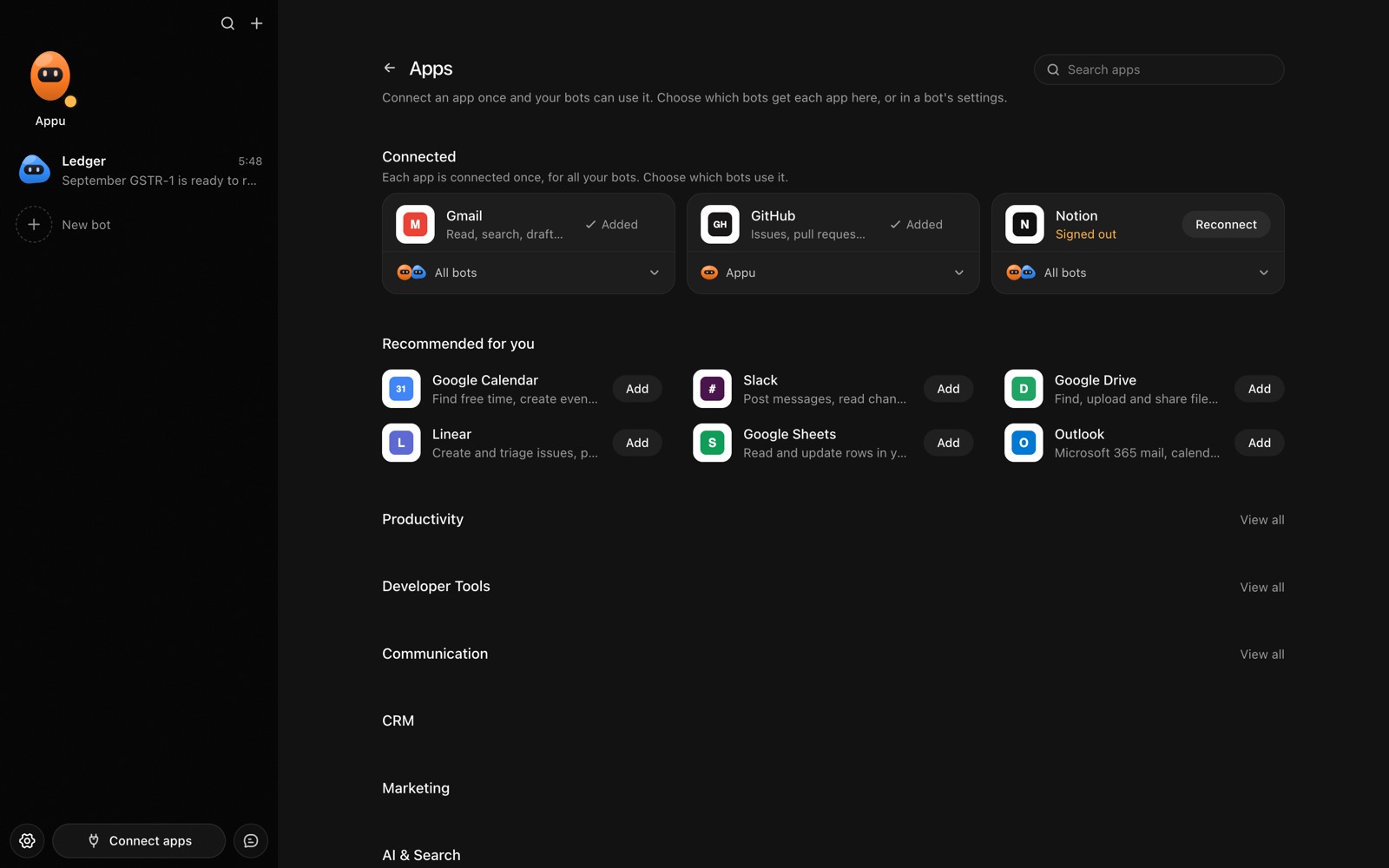
The Apps page in AppuBot with Gmail, GitHub and Notion connected and more apps to add
Connect an app once, then choose which bots may use it.

What can a bot do in QuickBooks?

Bookkeeping is a long list of small, repeatable entries and checks. A bot can do the lookups and the first draft of the entries, and you remain the one who signs off.

  • Look up records. Find an invoice, a bill or a customer's balance.
  • List what is owed. Show unpaid invoices and bills by due date.
  • Draft entries. Prepare an expense or an invoice from a receipt or a message for you to approve.
  • Categorise. Suggest a category for transactions and flag odd ones.
  • Report. Summarise income and expenses for a period in plain language.
  • Prepare for the accountant. Collect a period's documents and a short note of open questions.

What can you ask a bot to do in QuickBooks?

These are the kinds of requests that work well. Type them in the app, or send them from your phone on Telegram.

  • "Which customer invoices are overdue and by how much?"
  • "Draft an expense for this receipt, category Travel."
  • "What did I spend on software last quarter?"
  • "List bills due in the next week."
  • "Find transactions this month that look uncategorised."

How do you connect QuickBooks to AppuBot?

  1. Open AppuBot on your computer.
  2. Click Connect apps in the sidebar to open the Apps page.
  3. Sign in once in your browser. This links AppuBot to your own account for connected apps, and you only do it the first time.
  4. Find QuickBooks on the page and connect it. Your browser opens QuickBooks's own sign-in and consent screen, and you approve it there.
  5. Switch QuickBooks on for the bots that may use it. Each bot has its own switch, so a bot you did not choose never touches it.

The same Apps page lists about 1,700 other apps. Connecting one app once makes it available to every bot you allow.

Will it ask before it changes things in QuickBooks?

Creating or editing invoices, bills and entries changes your financial records, so on "Approve for me" the bot shows what it will enter and waits. Looking things up goes ahead. Keep your accountant in the loop for anything important.

This follows the bot's permission choice. On "Approve for me" the bot asks before it acts in your account, and it waits as long as you take. Reads and searches go ahead without a question. On "Full access" it acts without asking, so keep that for bots you trust with the app. More in Approvals.


What should you know before relying on a bot in QuickBooks?

A bot works through your own QuickBooks account, so it can do what that account can do and nothing more. If a task fails, it tells you why in the chat instead of guessing.

Be specific about which project, folder, list or account you mean when you have several, and say once what the bot should never touch. You can save that in its memory so it applies to every chat. AppuBot is free during early access and needs no AppuBot account, and you keep using the AI plan you already have.

Which routines suit QuickBooks?

Bookkeeping follows the calendar, so routines suit it.

  • Weekly money check. Fridays, list overdue invoices and bills due next week.
  • Month-end prep. Collect the month's open questions for review.
  • Receipt chase. Monthly, list expenses missing a receipt.

QuickBooks with computer use and Telegram

The connection reads and drafts in QuickBooks. For anything it does not reach, computer use lets the bot work in QuickBooks on your own computer, or in a bank's site you are already signed in to. See also Stripe.

On Telegram you can photograph a receipt and say "add this as an expense", then approve the entry with a tap.

Is it private to use QuickBooks with a bot?

It uses your own QuickBooks account and sees the company data your access allows. Financial details it reads go to its AI provider to be worked on, so consider that before connecting. Turn QuickBooks off for any bot at any time.

Turn the app off for a bot at any time from its switch on the Apps page, and the bot loses access at once. You can also disconnect the app completely. See connected apps for how connections work.

Questions

Can a bot replace my bookkeeper?

No. It can take on lookups and drafting, and a person should still check the books.

Can it send invoices to customers?

It can be set up to, and on "Approve for me" you approve each before it goes.

Can it connect to my bank?

Not through this connection. With computer use it can open a bank site you are signed in to, only if you allow it.

Does it work with Xero too?

Yes, see the [Xero page](/apps/xero).

Meet your first bot

An AI teammate that works on your Mac, and tells you on Telegram