
What can a bot do in Salesforce?
Salesforce rewards complete records and punishes the time they take. A bot can do the data entry and the lookup so you can spend the time on the customer.
- Look up accounts. Find an account, its contacts, open opportunities and recent activity.
- Log activity. Record a call or meeting summary against the right opportunity.
- Update opportunities. Change stage, close date or next step as you tell it.
- Create leads and contacts. Enter new people from an email or a photographed card.
- Summarise the pipeline. Report what is closing this month and what looks at risk.
- Prepare for renewals. Pull an account's history into a brief before a renewal call.
What can you ask a bot to do in Salesforce?
These are the kinds of requests that work well. Type them in the app, or send them from your phone on Telegram.
- "Show me open opportunities for Northgate and their close dates."
- "Log a call on the Summit opportunity: budget confirmed, legal review next."
- "Which deals closing this month have had no activity in ten days?"
- "Create a lead for Jamie Ortiz at Brightline from this email."
- "Brief me on the Harmon account before my 2 pm."
How do you connect Salesforce to AppuBot?
- Open AppuBot on your computer.
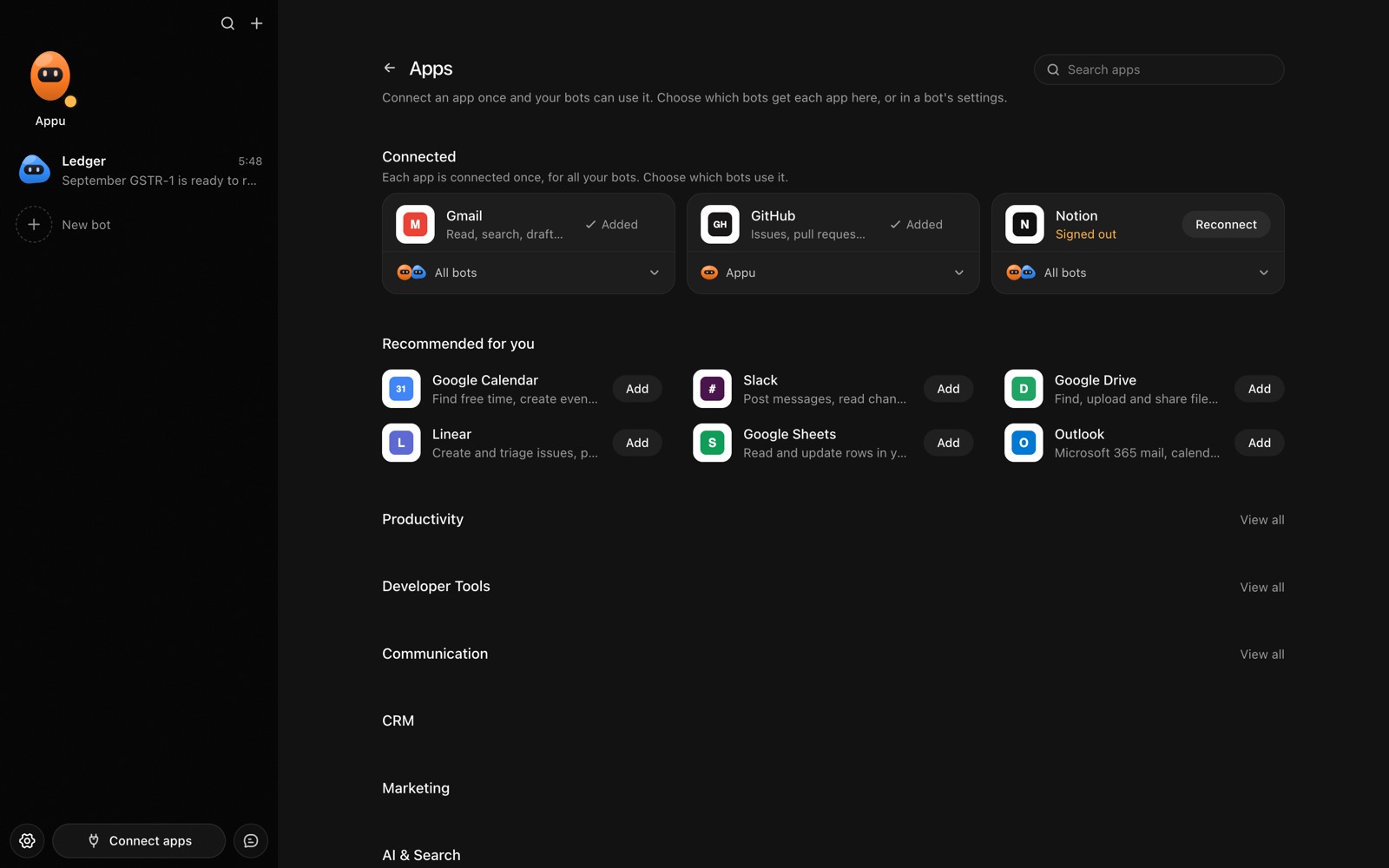
- Click Connect apps in the sidebar to open the Apps page.
- Sign in once in your browser. This links AppuBot to your own account for connected apps, and you only do it the first time.
- Find Salesforce on the page and connect it. Your browser opens Salesforce's own sign-in and consent screen, and you approve it there.
- Switch Salesforce on for the bots that may use it. Each bot has its own switch, so a bot you did not choose never touches it.
The same Apps page lists about 1,700 other apps. Connecting one app once makes it available to every bot you allow.
Will it ask before it changes things in Salesforce?
Changing opportunities, creating leads and logging activity change records your forecast relies on, so on "Approve for me" the bot checks with you first. Looking up records goes ahead.
This follows the bot's permission choice. On "Approve for me" the bot asks before it acts in your account, and it waits as long as you take. Reads and searches go ahead without a question. On "Full access" it acts without asking, so keep that for bots you trust with the app. More in Approvals.