Skip to content

An AI recruiting assistant for screening and scheduling

Reads applications against your criteria, drafts replies and books interviews, while you make every decision.

By Sarthak Gupta · Updated

The short answer

An AI recruiting assistant in AppuBot is a bot that does the admin around hiring: it reads applications against the criteria you wrote, summarises each one, drafts replies and finds interview slots in your calendar. It works with Gmail, Google Calendar and Sheets as connected apps, or in your hiring tool’s website on your computer. On "Approve for me" it asks before sending anything, and the hiring decisions stay with you.

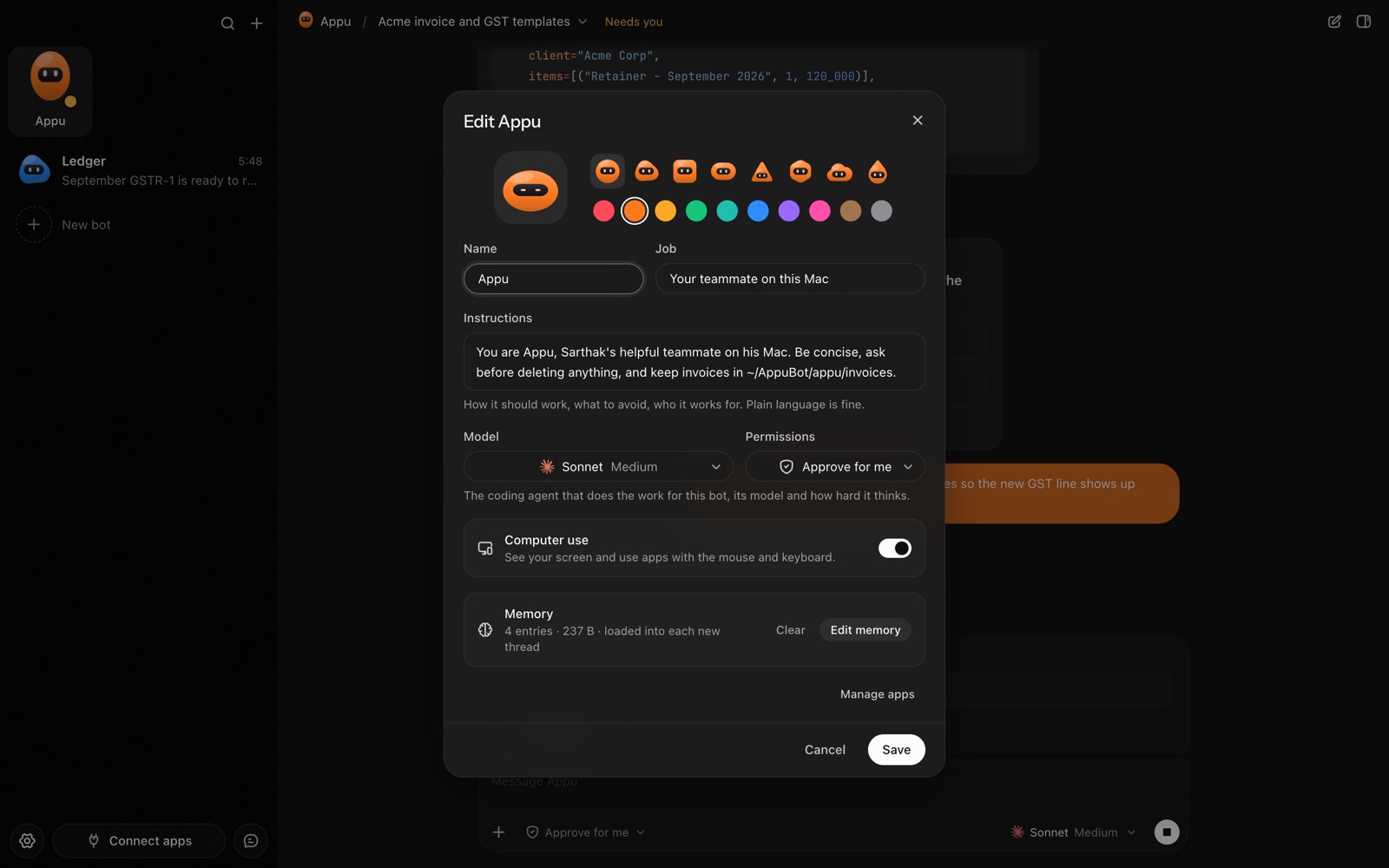
The bot editor in AppuBot: name, look, job, instructions, model, permissions, computer use and memory
Every bot has its own job, instructions, model and memory.

What does a recruiting assistant take off your plate?

  • Reading applications. It pulls new applicants from your inbox or hiring tool and writes a short summary of each against your must-haves.
  • Keeping the tracker current. One row per candidate in a sheet or Airtable: stage, notes, next step.
  • Drafting replies. Acknowledgements, interview invitations and kind rejections in your tone, each held for your OK.
  • Scheduling. It checks your Google Calendar, offers times and, once the candidate picks, books the slot.
  • Interview prep. Before each call, a one-page brief: the CV highlights and the questions you said you always ask.

Which apps does it work in?

Through connected apps: Gmail or Outlook for applications and replies, Google Calendar for interviews, Google Sheets or Airtable for the tracker, Slack to post a shortlist to your team. If your applicant tracking system isn’t connected, computer use lets the bot work in its website in the browser on your computer, where you’re already signed in.

How do you set it up?

  1. Install AppuBot and choose the AI the bot uses.
  2. Make a bot called "Recruiter" with the job "Screens and schedules candidates for the designer role".
  3. Paste instructions, for example: “Role: product designer, remote in Europe. Must-haves: a portfolio link, 3+ years of product work. Nice to have: design systems. Summarise each applicant in five lines against these. Never reject or advance anyone yourself; give me the summary and a draft reply. Never send a message or book a meeting without asking me. Interviews are 45 minutes, Tuesday to Thursday, 10:00 to 16:00.”
  4. Connect Gmail, Calendar and Sheets and turn on only those for this bot.
  5. Keep it on "Approve for me".
  6. Add a routine: “Every weekday at 9:00, process new applications and send me the summaries.”
  7. Connect Telegram to approve invites from your phone.

What does it ask before doing?

Every outgoing email and every calendar booking acts in your accounts, so on "Approve for me" each one waits for your yes, with the full text shown. Reading applications and updating your notes can be set to run freely or also need your OK, as you prefer. Write "never decide on a candidate" into its instructions, as in the example, so its role stays summarising and drafting.


Use it fairly

Screening people is a decision with real consequences, and AI can carry bias from its training or from how criteria are phrased. Keep criteria job-related and written down, read the applications behind any summary before you reject someone, and don’t let the bot be the only filter. Some places have rules about automated tools in hiring and about how you store candidates’ data; check what applies to you.

A sample week

WhenBotYou
Weekdays 9:00Summaries of new applicants, draft repliesChoose who moves on
Same daySends invites you approved, offers slotsApprove the bookings
Before each interviewOne-page prep briefRead it on the way
FridayPipeline update in SlackShare with the team

Why a bot rather than a hiring tool’s built-in AI?

Applicant tracking systems increasingly include AI features of their own, and if yours does what you need, use it. A bot is useful when the work spans tools: the application arrives by email, the notes live in a sheet, the interview goes in your calendar and the shortlist gets posted in Slack. One bot with your instructions and a memory of past decisions can carry the whole loop, and you can reach it from your phone between interviews.

Questions

Can an AI recruiting assistant reject candidates automatically?

It shouldn’t, and the setup above tells it not to. Use it to summarise and draft, and make each decision yourself.

Does it work with my applicant tracking system?

If your tool is among the connected apps, yes; if not, the bot can use its website in your browser through computer use.

Can it schedule interviews?

Yes, with Google Calendar or Outlook connected. It proposes times from your free slots and books once you approve.

Where is candidate data kept?

On your computer and in the apps you already use. The bot sends what it reads to the AI provider you chose; AppuBot keeps no copy on servers of its own.

Meet your first bot

An AI teammate that works on your Mac, and tells you on Telegram